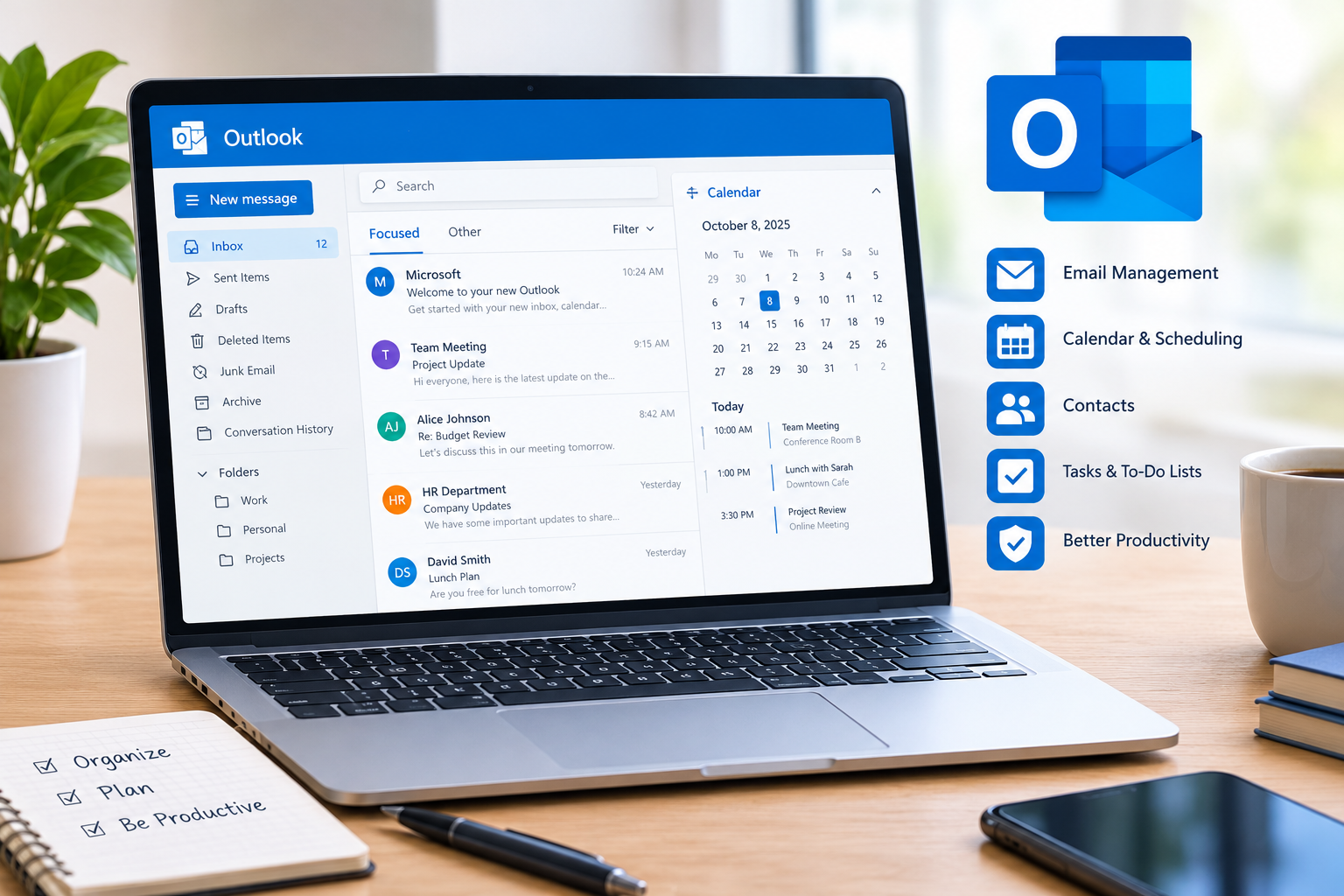
Email has become a part of personal and professional life. Whether you’re in business with clients, colleagues, customers, teachers, or friends, an organized email system can save time and make you more productive. Outlook Email is a widely used email service that provides a range of features for sending, receiving, organizing, and managing emails.
But you need more than just an Outlook account. With a little training in how to use it, everyday email management can be much easier. Outlook can be used for a variety of communications, such as managing your inbox, calendar, and contacts.
What Is Outlook Email and How Does It Work?
Outlook Email is a Microsoft email service used by people to send, receive, organise, and manage electronic messages. May be accessed using a web browser, computer applications, and mobile devices.
Users can create an email account, send/receive email with other users, add documents, organize email into folders, and manage contacts. Outlook is also integrated with other Microsoft services, making it convenient for those who already work or study with Microsoft services.
The basic email process is uncomplicated. You can write a message, enter the address of the recipient, add a subject, write your message, attach files if necessary, and send the message. Emails can then be sorted, replied to, forwarded, archived, or deleted.
How Can You Keep Your Outlook Email Inbox Organized?
Having an organized inbox helps you locate crucial emails with ease and reduces the clutter. If you get a lot of emails each day, it is important to get into the habit of managing your inbox.
You can organize folders for various kinds of communications. A few examples include having a folder for clients, a folder for work projects, a folder for personal messages, a folder for newsletters, and a folder for important documents.
Also, it is great to delete unwanted emails periodically. Cleaning out your inbox of useless messages and organizing your important ones into the right folders can simplify your life with your inbox.
You can also utilize categories, flags, and other organization elements to recognize emails that need focus.
How Can Outlook Email Help You Save Time?
When you get dozens of emails a day, it can take a lot of time to spend checking them in person. Outlook has tools that can help make common tasks more efficient.
There are some actions you can automate using email rules. For instance, incoming emails from a specific sender may be automatically placed in a certain folder. This will minimize the need to have to handle each message individually.
Search tools can help you easily find previous emails. Searching the mailbox by sender, subject, keyword, or other information will help you find what you’re looking for faster than scrolling through hundreds of messages.
How Can You Write Better Emails in Outlook?
Being able to write clear and professional emails is crucial to effective communication. When composing an email, ensure that the subject line clearly states the purpose of the email.
For instance, if a subject is “Important,” you could make it more specific, like “Project meeting schedule for October.
Use a clear, succinct message. Keep paragraphs short, and clearly state the reason for the email in the first sentence. When asking for something, describe in detail exactly what you are asking for, and, if applicable, give a time limit.
Check emails for accuracy prior to sending. Spelling, grammar, attachments, recipient addresses, and tone are all items to look at that will prevent common communication mistakes.
How Can Outlook Email Help With Professional Communication?
Outlook is especially great for business communication as it integrates with a few productivity tools. Email is one of the most common means of business communication and is used by businesses and organizations with employees, customers, suppliers, and other stakeholders.
An Outlook e-mail should include a clearly worded subject line, a salutation, informative content, and a courteous closing. Having a consistent style can also lend a more professional appearance to your emails.
It is crucial for business users to keep their work-related emails organized. It can be helpful to break up various projects and clients into folders so that you have an easier time keeping track of records and previous conversations.
How Can You Use Outlook Calendar Alongside Email?
One of the helpful things about Outlook is that email can be used in conjunction with calendar and scheduling.
When you receive an invitation to a meeting, you can manage the meeting in the calendar. You can also make your own appointments, meetings, and reminders.
This can help you to control communication and scheduling all from a single spot. If you have multiple meetings or deadlines, it can help you to link email tasks to organizing your calendar.
How to Do Better With Your Attachments?
Attachments are commonly used in professional emails. Attachments like documents, spreadsheets, presentations, images, and PDFs can be sent in emails.
When sending an attachment, be sure you have attached the right file. Clear and descriptive file names are also useful, which will help the recipient to know what the document is about.
Consider if there is another suitable method of sharing a file if it is large. Don’t open unsolicited e-mail attachments from strangers, either, as they may contain malicious material.
How to Secure Your Outlook E-Mail Account?
Security of e-mail is important when using any form of online communication. Use a strong and unique password for your account and don’t share it with anyone.
Two-step verification or other security options may be available for an extra layer of security. When you receive a link within an unsolicited e-mail, be cautious about it and don’t click it unless you are expecting it.
Be cautious and verify who the sender is in any incoming suspicious email and the context before you respond. If a message seems out of the ordinary or pressing, check it out by a reliable means of communication.
How Can You Reduce Unwanted Emails in Outlook?
It’s easy for unwanted e-mail to get in the way and clutter your inbox. Outlook provides tools that can help users deal with unwanted or suspicious emails.
If you wish, you can identify unwanted messages as junk and block specific senders if it is appropriate. When newsletters are often received but no longer needed, it’s also possible to unsubscribe from them, which will remove clutter from the inbox.
Do not respond to suspicious spam messages, or you may give your attention to additional spam.
What Are the Best Habits for Using Outlook Email?
By following a couple of simple habits, Outlook Email will be easier to manage.
First, make sure to go through your e-mail at designated times, not all of the time. Secondly, reply to relevant emails on time if possible. Thirdly, categorize or create folders for messages; don’t leave them in the inbox.
Also, save emails that you might want to save in the future but don’t need to act on right now. It’s important to regularly clear out your inbox to keep your email system running as efficiently as possible.
Is Outlook Email Useful for Students and Professionals?
Yes, Outlook is useful for students as well as professionals. Students have the opportunity to communicate with teachers, educational institutions, classmates, and internship supervisors by email.
It can be used by professionals for client communication, meetings, project management, document sharing, and communication in the workplace.
The greatest benefit is knowing how to use the features that are available rather than Outlook as just an email inbox.
How Can Beginners Start Using Outlook Email Effectively?
For beginners, one can start with the basics and learn the advanced features. First, know how to send and receive emails; how to reply to and forward emails. Afterwards, know how to organize folders, locate messages, deal with attachments, and utilize the calendar.
After users get used to these basics, they can delve into the rules, categories, scheduling, security settings, and other productivity options.
The objective is not to make use of all of the options provided. Instead, select the tools that meet your particular communication and organization needs.
Conclusion
Outlook Email could be far more than a simple e-mail communication tool. Users can leverage their daily communication in an efficient way through proper organization, effective email writing, calendar integration, search tools, security practices, and inbox management.
If you use Outlook for work, school, or personal correspondence, you can save time and stay organized by cultivating good email habits. Learn to use simple features first and then add in more features as requirements increase.
FAQs About Outlook Email
What is Outlook email used for?
You send, receive, organize, and manage email messages using Outlook Email. It can also be used in association with other productivity tools like contacts, calendars, etc.
Does Business Benefit From Outlook Email?
All the above functions can be helpful in business communication with Outlook.
How to Organize Your Outlook Inbox?
Use folders, categories, and flags; delete unwanted messages; archive older messages; and use search and rules to manage your messages efficiently in your inbox.
What are some ways to make Outlook email more secure?
Have a strong, unique password; use multi-factor or two-step security if available; never click on links or attachments that don’t look familiar or are from an unexpected service; always check unusual requests before disclosing personal information.
Is it possible to connect Outlook email to my phone?
Outlook is available via the mobile app and can be used to handle messages and other supported activities away from the computer.
What is the solution to decreasing spam e-mails in Outlook?
Identify unwanted messages, block unwanted senders, and unsubscribe from the newsletters you no longer wish to receive.
Can Outlook help you with scheduling?
Outlook has a calendar and scheduling component that can assist with managing appointments, meetings, reminders, and other scheduled activities.
Is Outlook Email Easy for beginners?
With simple email functions to get started, a new user can gradually master organizational, scheduling, security, and productivity features as he or she becomes more comfortable with the program.